Free
Try the memory layer with an agent.
Rp 0/month
- Public-tier memory and up to 50 vault items
- One scoped MCP key, up to 100 MCP calls a day
- No notes or attachments, which need Pro
Zero-knowledge vault · Encrypted notes · Memory over MCP
Keep notes, logins, and files in a vault only your passphrase opens, and let agents recall the memories you allow over MCP.
Encrypted in your browser before upload · Sign in with your Efolusi account
Vault items, notes, and files reach the server as ciphertext. Your plaintext secrets stay in your browser.
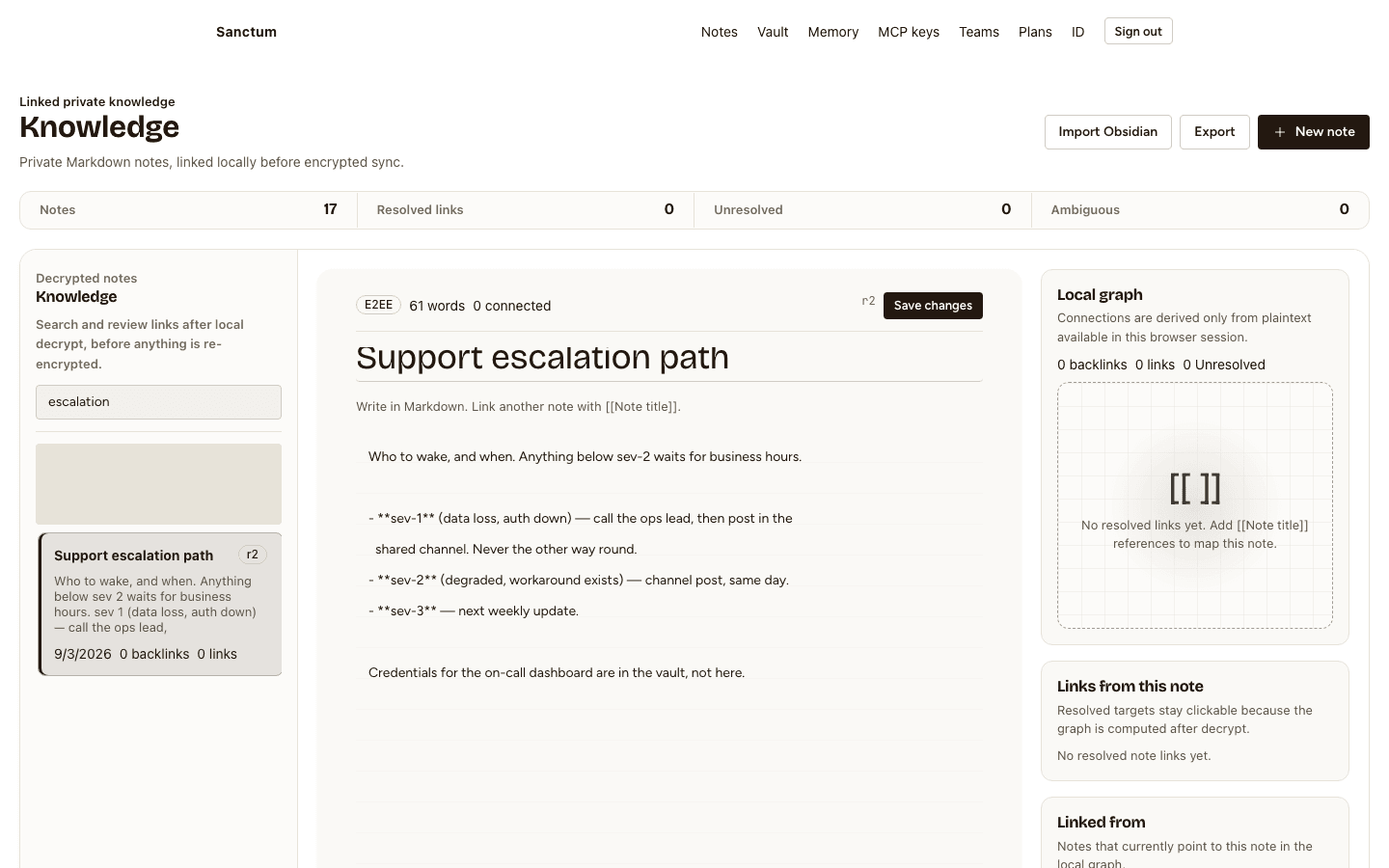
Write in Markdown with [[wikilinks]] and a local link graph. Notes are encrypted before they sync.
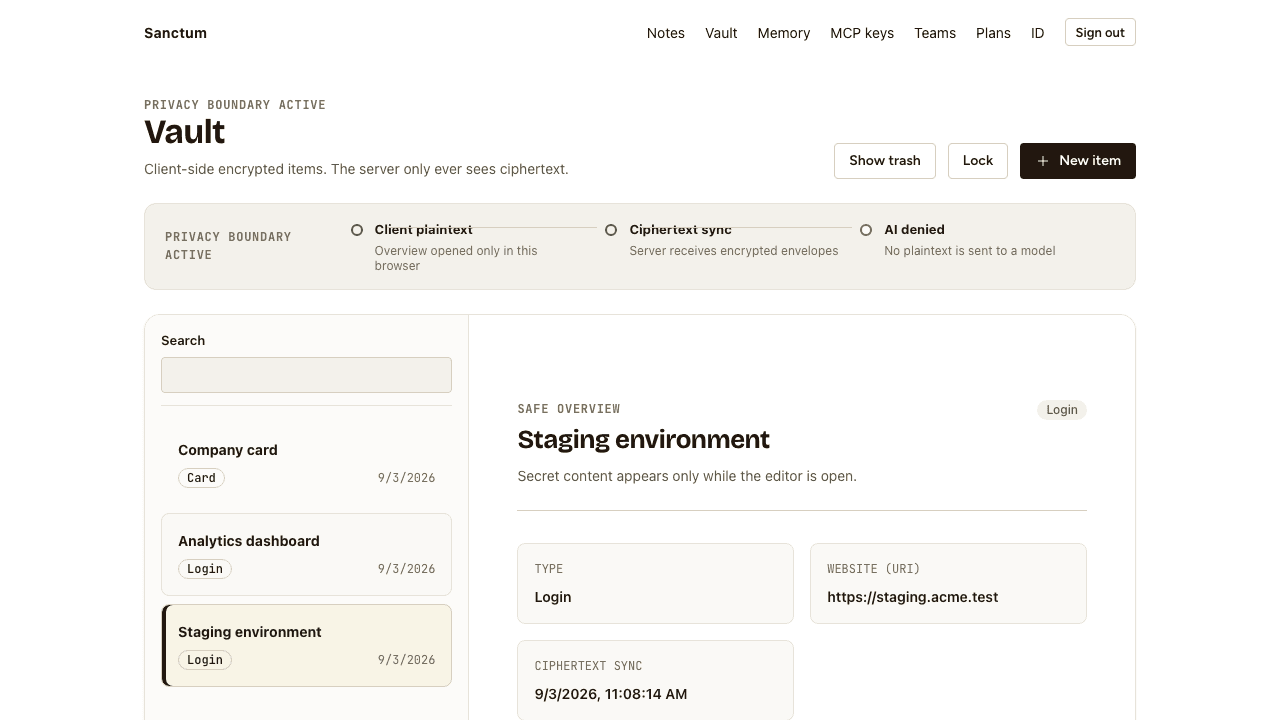
Logins, cards, and private notes, encrypted with keys derived from your passphrase. The passphrase is never sent.
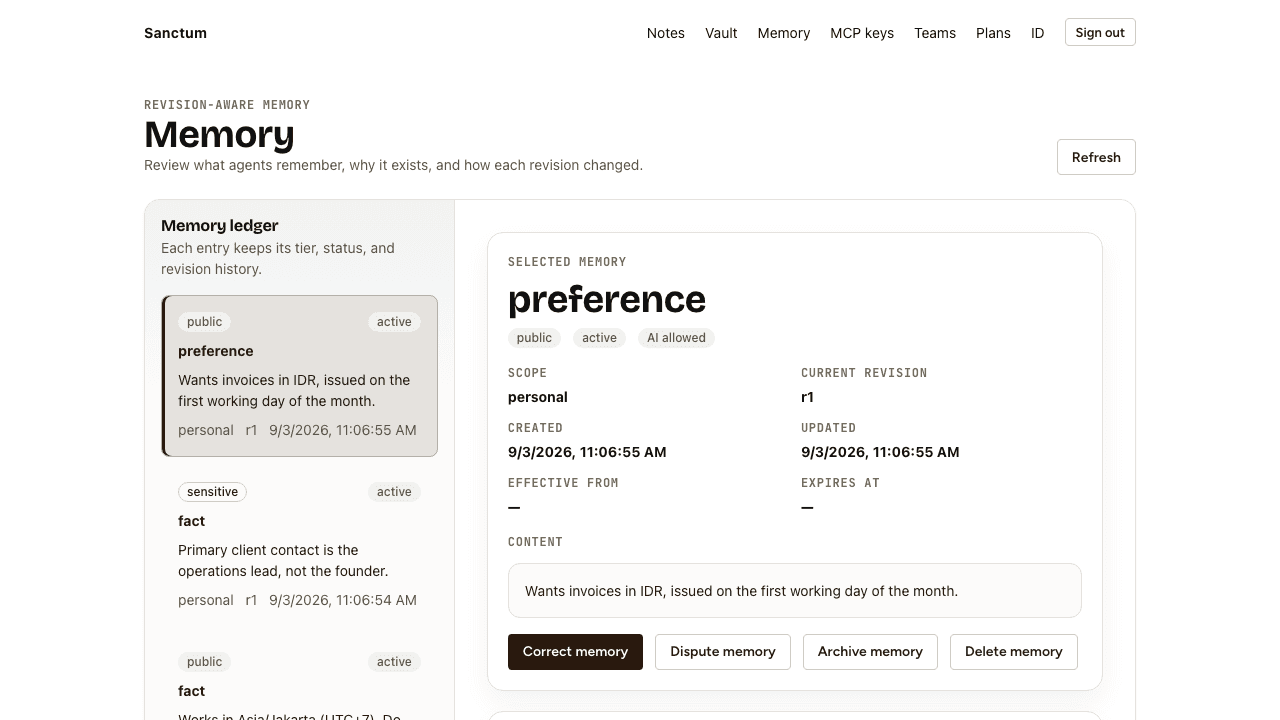
Every entry carries a tier and its provenance. Correct, dispute, or archive it, and each change becomes a revision.
Files on notes and vault items use the same client-side keys, so storage only ever holds ciphertext.
Issue snct_ keys scoped to remember, recall, or forget, with explicit grants. Revoke any key at any time.
The org key is wrapped for each member and follows Efolusi SSO membership. Remove someone and they lose access to the team vault from then on.
From signing in to an agent that remembers you, your vault is encrypted in your browser and the server never decrypts it.
Sign in with Efolusi SSO, then unlock the vault locally. Keys are derived in your browser.
Notes and vault items are encrypted client-side. Each memory has a tier that decides where it may be read.
Create a scoped snct_ key in settings and point your MCP client at Sanctum.
{
  "mcpServers": {
    "sanctum": {
      "url": "https://sanctum-api.efolusi.com/api/v1/mcp",
      "headers": { "Authorization": "Bearer snct_..." }
    }
  }
}Unedited screenshots of the current app: the vault and the memory ledger.
People and agents use the same private layer in different ways.
Notes and credentials in one place the server operator cannot read. Import from Obsidian, export anytime.
Access follows SSO membership, and each member holds their own wrapped copy of the org key. No shared master password.
Point Claude or any MCP client at Sanctum with a scoped key. It recalls the memories you allow and never receives vault plaintext.
Billed in rupiah through Efolusi Pay. Notes live at the secret tier, so they need Pro or Team.
Try the memory layer with an agent.
Rp 0/month
The full private layer for one person.
Rp 49.000/month
or Rp 490.000/year
Everything in Pro, shared with your organization.
Rp 199.000/month
or Rp 1.990.000/year
All prices in IDR.
Your passphrase derives encryption keys inside your browser. Everything at the secret tier, including notes, vault items, and attachments, is encrypted before it is sent. The server stores ciphertext it cannot decrypt, because it never has the keys.
At vault setup you get a recovery code, shown exactly once. It is the only way back in. Sanctum cannot reset your passphrase, because that would require the server to hold your keys. Lose both and the encrypted data cannot be recovered.
Your Efolusi identity, billing status, and the size and timestamps of what you store. Vault items, notes, attachments, and secret-tier memory are end-to-end encrypted, so the server holds only ciphertext and never decrypts it. Public and sensitive memory work differently because agents need to recall them, so the server can read both. Sensitive memory is encrypted at rest with a key the server holds and decrypted when it is read, and memory is redacted before it goes to Relay for AI synthesis.
Agents connect over MCP with an snct_ key you create. Each key carries scopes and grants that limit which tools it may call and which memories it may touch. Secret-tier content stays encrypted client-side, so there is no plaintext for the server to hand over.
Free covers public-tier memory, one MCP key, and up to 50 vault items, enough to try agent memory. Pro unlocks every memory tier, notes, attachments, and an unlimited vault. Team adds a shared org workspace for up to 25 members on top of Pro.
No. You sign in with your Efolusi account. The vault passphrase is separate on purpose: SSO proves who you are, and the passphrase, which Efolusi never sees, decrypts your vault.
Sign in with Efolusi, set a passphrase, and give your agents memory without handing over your secrets.
Open your vault